Houdini
Metal Plate Breakthrough Effect
After searching for tutorials and conducting extensive research, I created a metal plate breaking effect. It can also calculate the collision positions where fragments fall onto the terrain within a 3D scene.
The main approach was using the RBD Material Fracture node and selecting the Glass mode. However, I initially failed to achieve the effect. The possible reason was that the two surfaces involved in the calculation were too far apart, which generated a very thick wall, making the Glass mode unusable.
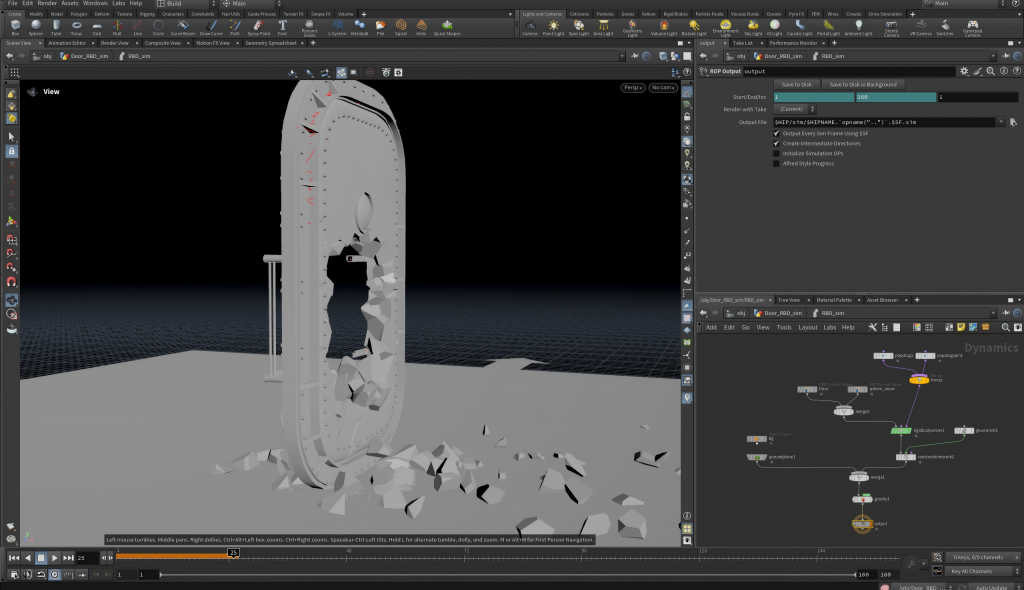
Therefore, I extracted the surfaces at both ends of the door separately and extruded them into thin surfaces. This allowed them to work properly with the Glass mode.
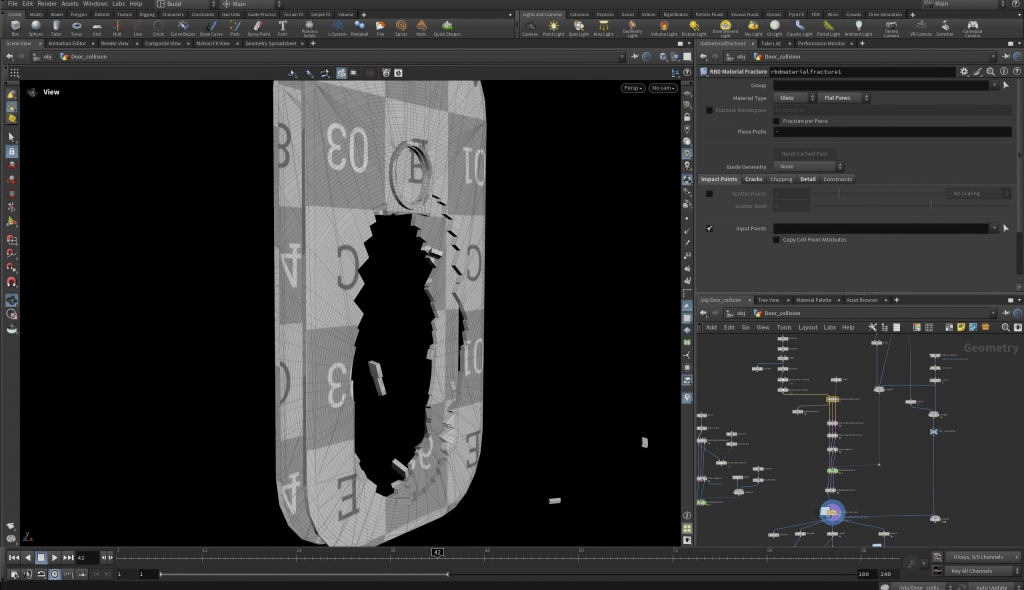
In the end, I used the RBD Bullet Solver node for the simulation, merging the scene and the small sphere collider together and connecting them to its fourth input.
The final wall effect is shown in the video below.
Smoke Effect
I created the smoke effect in another GEO file. I used the Object Merge node to import the fractured door data. Then, I mainly used the Pyro Solver node to adjust the smoke density and size numerically.
The result is shown in the image below.
UE5 Import Research
Importing the Door Fracture Model Animation Sequence
ABC and FBX
At first, I tried exporting in FBX format, but the exported door had no animation.
Then I tried exporting in ABC format, but Unreal Engine reported that the mesh contained ngons (five-sided faces) and could not import it. So I triangulated the faces in Maya and attempted to import it again.
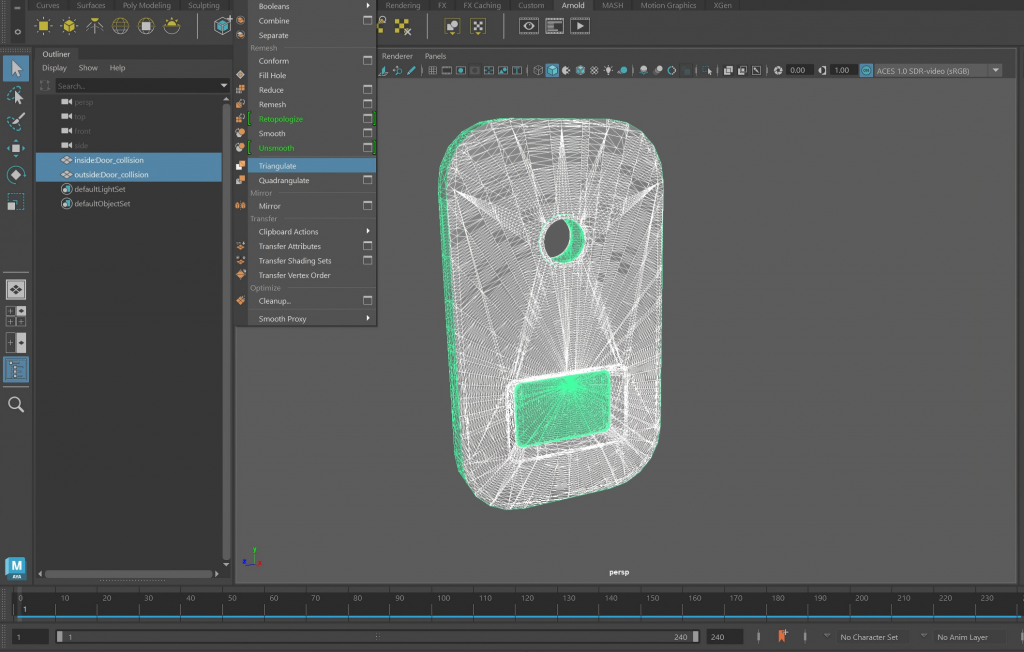
However, the issue persisted, and some faces appeared incorrectly connected.
USD
Finally, I tried exporting the file in USD format from Houdini. This time, it was successfully imported into UE5 and produced the correct effect.
Importing VDB Smoke Animation Sequence
To import the smoke, the VDB format is required. I searched for tutorials online and followed them to import the smoke.
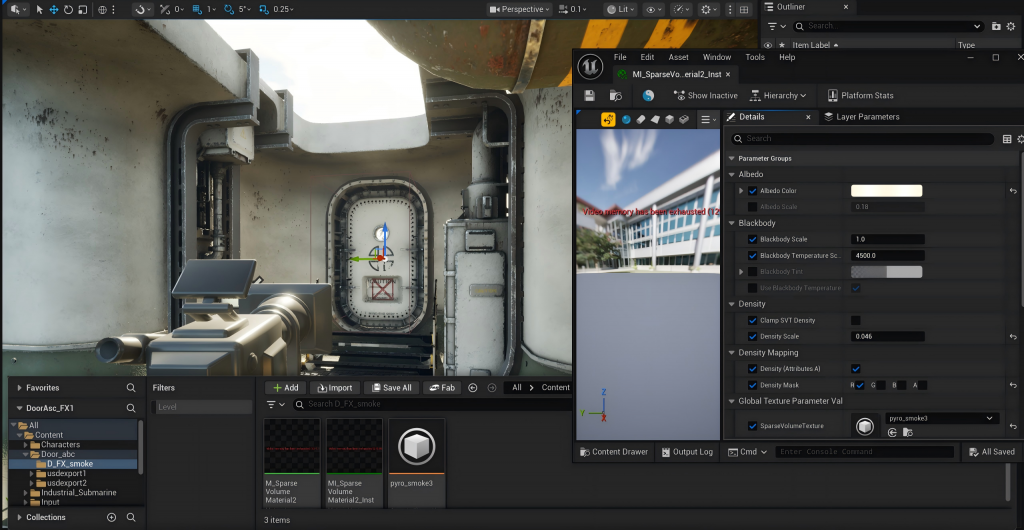
At the same time, in UE5, I created a Heterogeneous Volume and placed the smoke effect inside it. After that, I could adjust parameters such as density and color within the material instance.
Problem
However, I encountered a problem: the playback timing of the smoke animation did not match the timing of the door fracture animation. Additionally, both animations kept looping instead of only playing when the effect should appear.
Setting the Playback Sequence for the Door and Smoke Animations
Following a tutorial, I added a Heterogeneous Volume component to the Smoke Blueprint on the Sequence timeline. Then I added a Frame and keyed the frame that should appear at frame 93 to frame 0, allowing it to start playing at frame 93. For the door fracture animation, the Geometry Cache animation begins playing at the frame where the door is supposed to break.
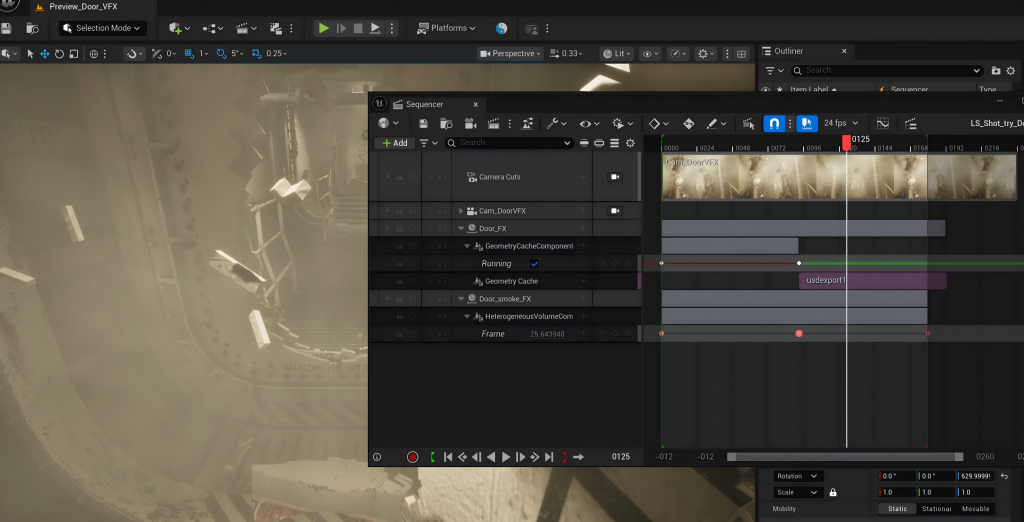
Ultimately, this produced the following effect in the scene.
Searching for Voice Acting
Captain and Sailor — Voice Test
I searched online for someone to provide voice acting for a character in our project. In the initial version, the crew member’s voice did not match the character’s face very well—it should have sounded deeper and heavier.
Captain and Crew — Final Version
After communication and revisions, I obtained the final version.
Additional Work
Because some other members of our team encountered problems and their work progressed slowly, I had to help handle additional tasks that were not completed on time in order to ensure our final project could be submitted as scheduled.
Maya Animation for Malfunctioning Pointers
In Maya, I animated ten pointers. Each pointer had its own keyframe animation, with each pair of frames producing a different angle change, resulting in a 120-frame animation.
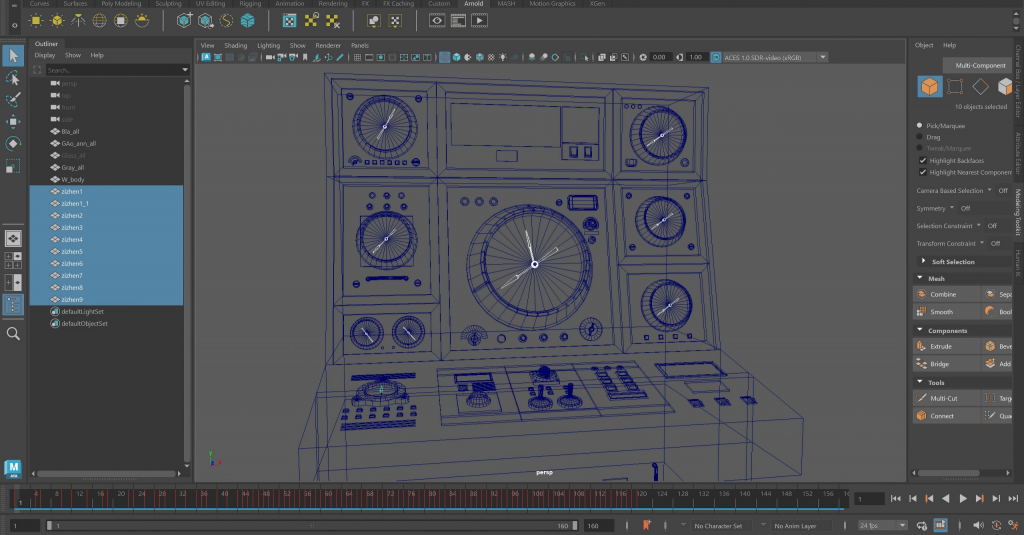
I then imported them into UE5, applied materials, and positioned them properly. After that, I performed a render test. The result is shown below.
Alarm Light Effect
I placed the alarm lights in the required positions and created light keyframes on the Sequence timeline.
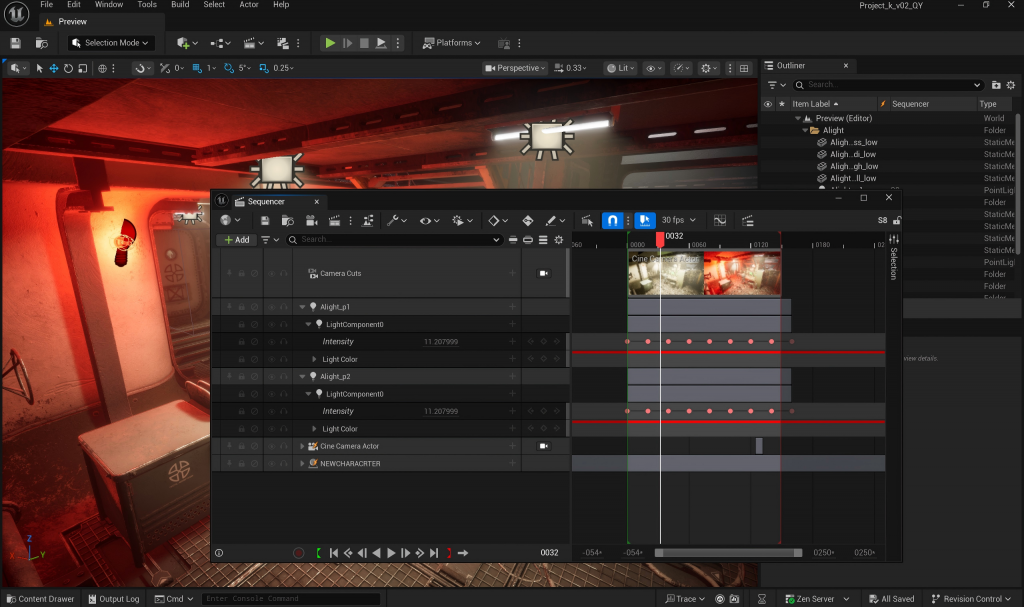
The final result is shown below.
Nuke
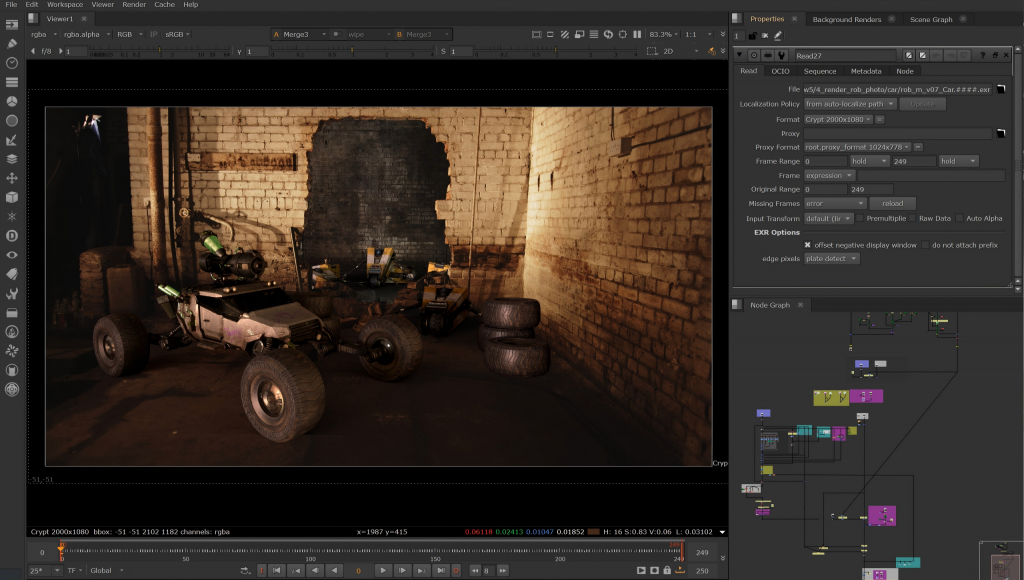
Because I also placed my car model into the scene for rendering, it enriched the visual composition and made the foreground appear less empty.
Leave a Reply