Bind Walkie-Talkie to Hand Skeleton in Blueprint
This follow-movement technical issue was solved jointly by another team member and me. Therefore, I will explain which problems each of us solved separately.
Object Following the Character’s Bone – Qianye Mai
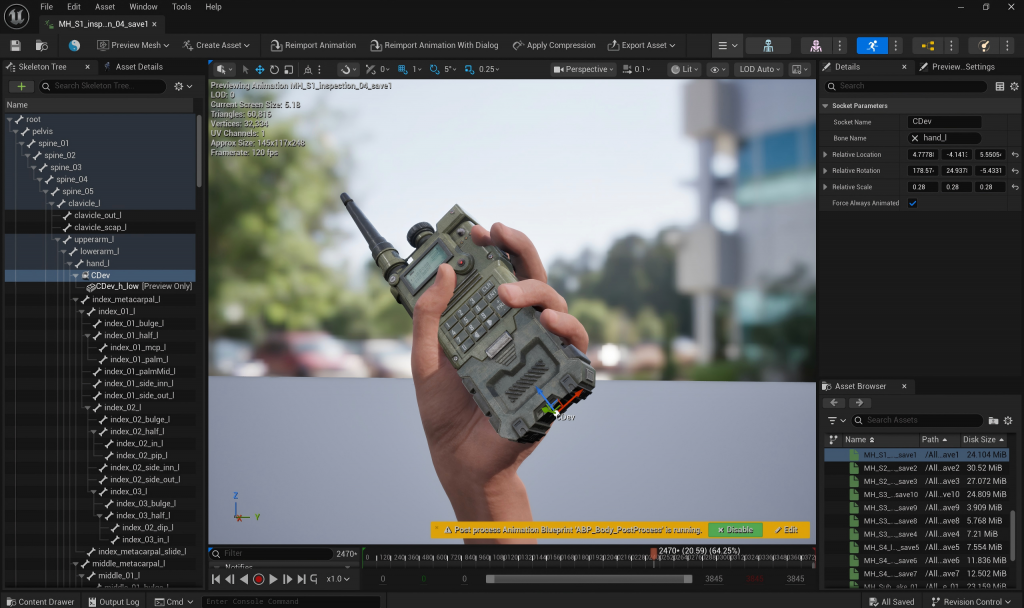
First, in the animation sequence’s skeleton tree, I attached the walkie-talkie object to the character’s left hand by adding a socket.
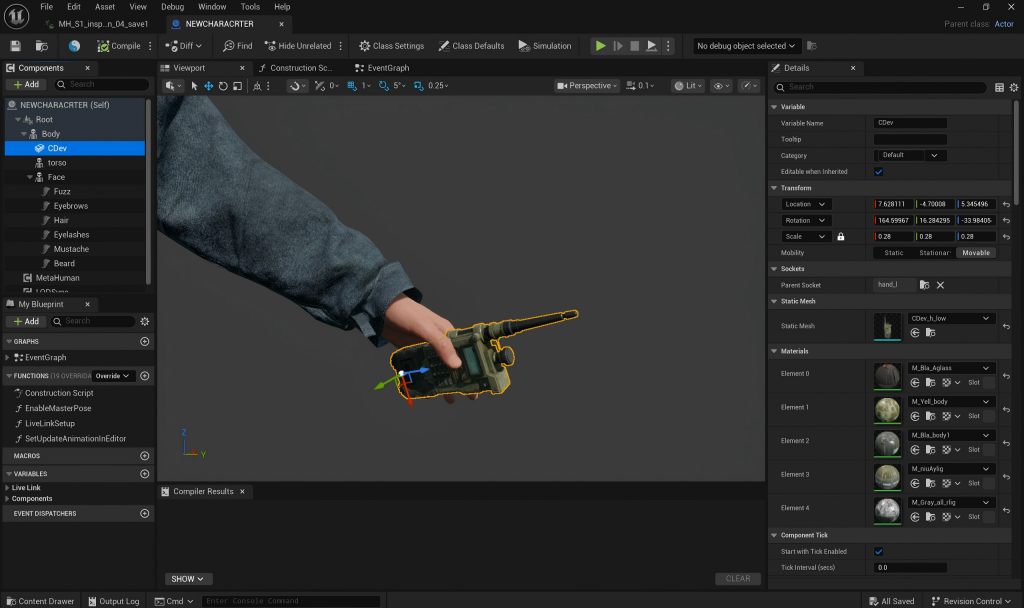
Then, I opened the character’s Blueprint, added a Static Mesh to the body’s skeleton, and placed the walkie-talkie model into it. Finally, I adjusted its position so that it sat properly in the character’s palm.
Problem
The object was able to follow the character’s hand movement successfully. However, the motion-capture animation affected the hand movement, causing the walkie-talkie to clip through the character’s hand.
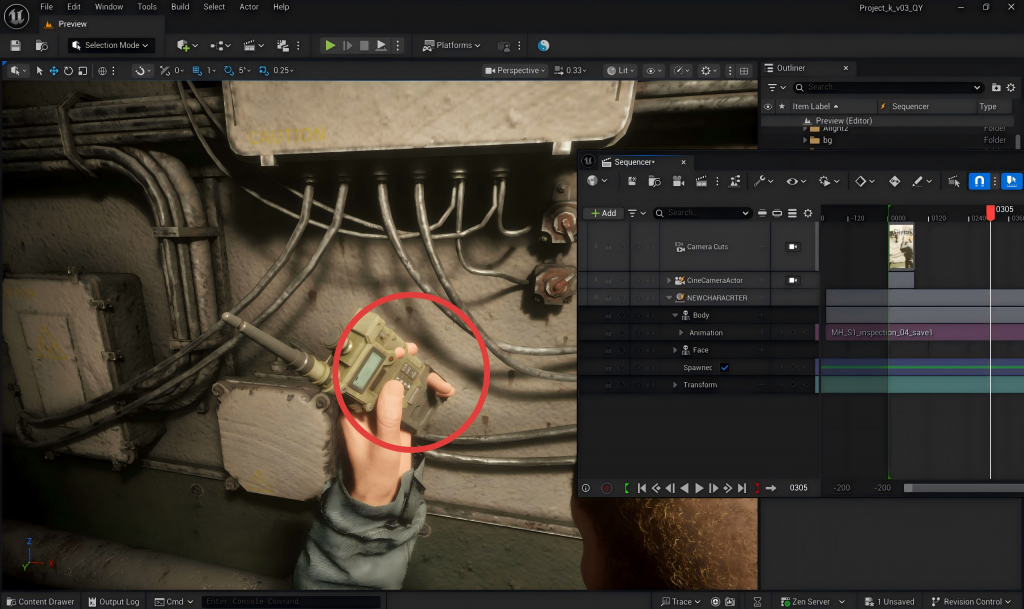
( Frame 305 )
Therefore, Xuanyuan Zhang and I discussed possible solutions together.
Adjusting the Character Model’s Bone Position – Xuanyuan Zhang
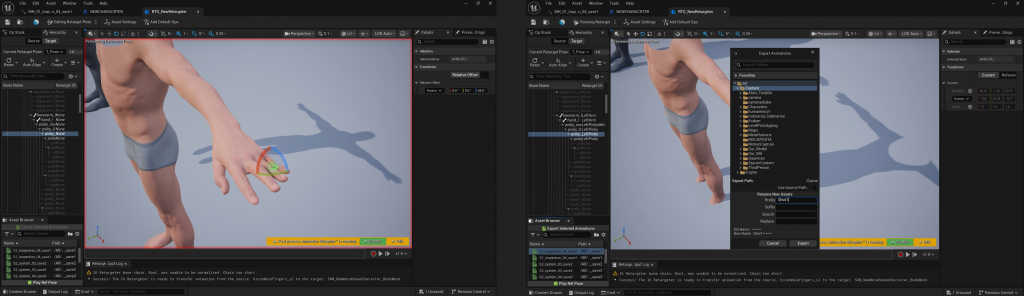
After our discussion, Xuanyuan Zhang guided me to modify the position of the hand bones and explained how to export the updated animations. In total, we modified and exported three animation clips.
Importing the New Animations into Sequencer – Qianye Mai
I then placed the exported animations back into shots 1–8 in the Sequencer. At this point, the character’s hand and the walkie-talkie maintained a more appropriate distance, and the clipping issue that occurred previously was resolved.
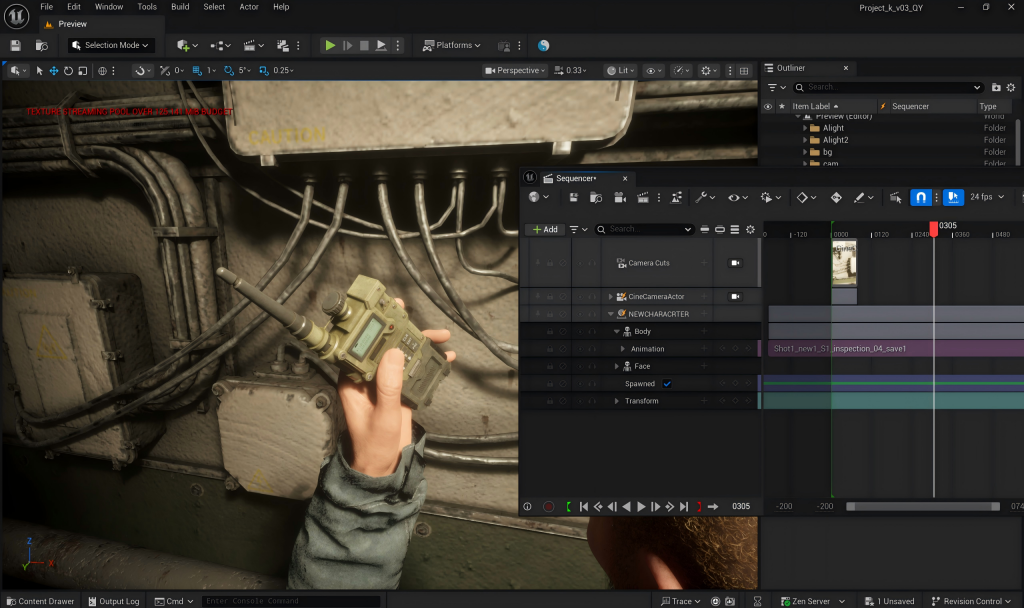
( Frame 305 )
Leave a Reply